Your work, across repositories.

Tickets, isolated worktrees, native T3 Threads, and pull requests in one place.

An independent fork of T3 Code, regularly synced upstream.
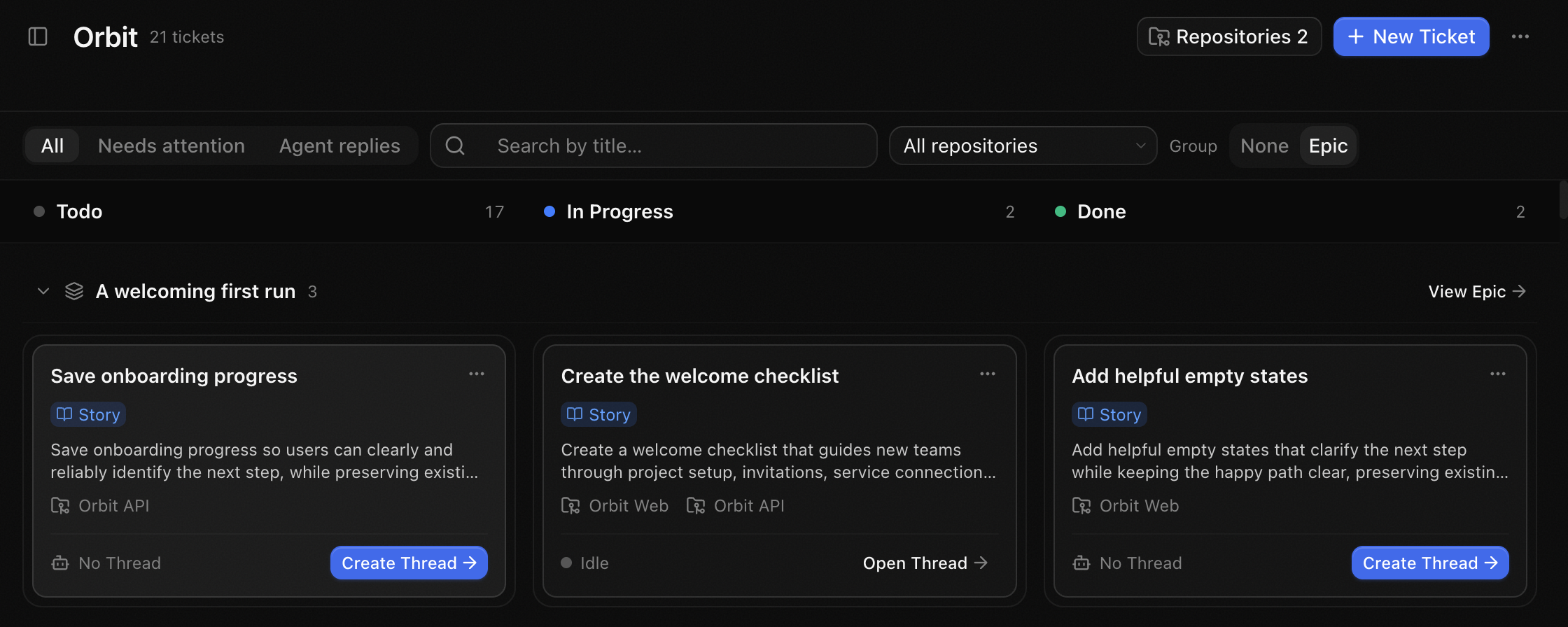
Orbit Workbench Board with Tickets spanning Orbit Web and Orbit API across workflow statuses
Demo workspace across two repositories.

From Ticket to review

Demo screenshots. PR feedback and outcomes are illustrative.

Ticket

Start with the Ticket
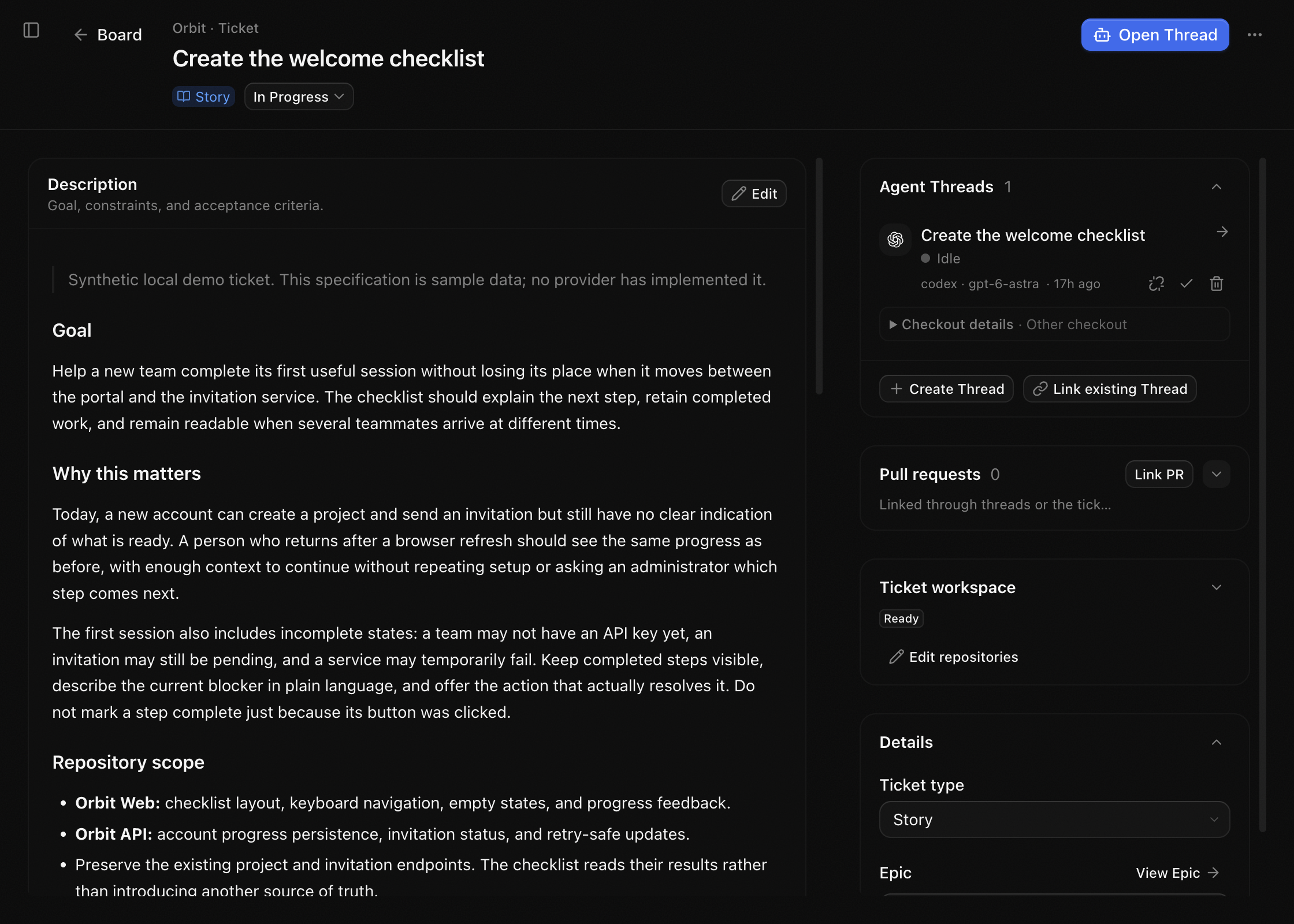
Workbench Ticket showing its description and linked native T3 Threads
A goal, acceptance criteria, and linked native Threads.

Workspace

Prepare the workspace

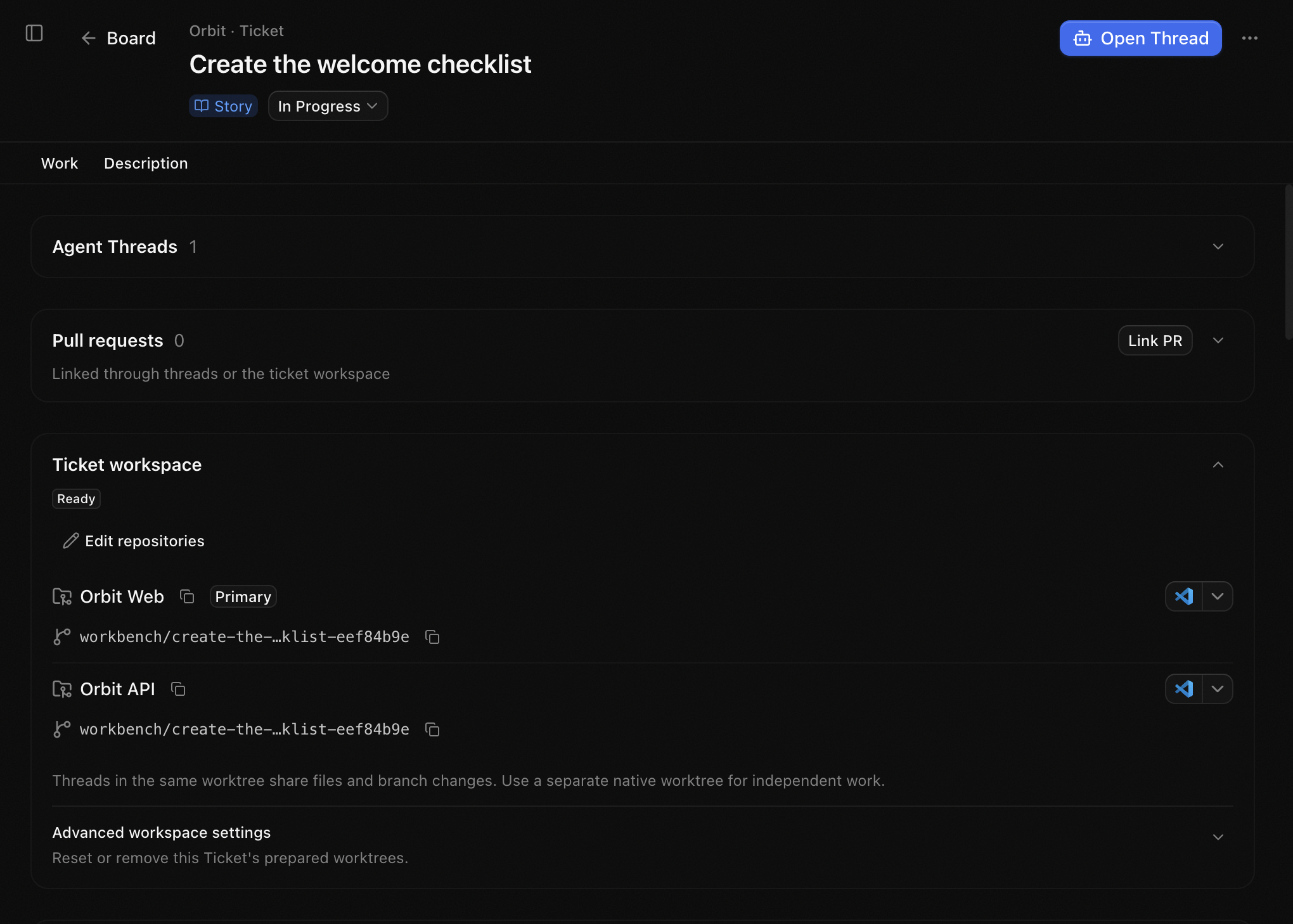
Prepared Ticket workspace showing repository worktrees
Isolated worktrees per repository. Preparation does not start an agent.

Thread

Open a native T3 Thread

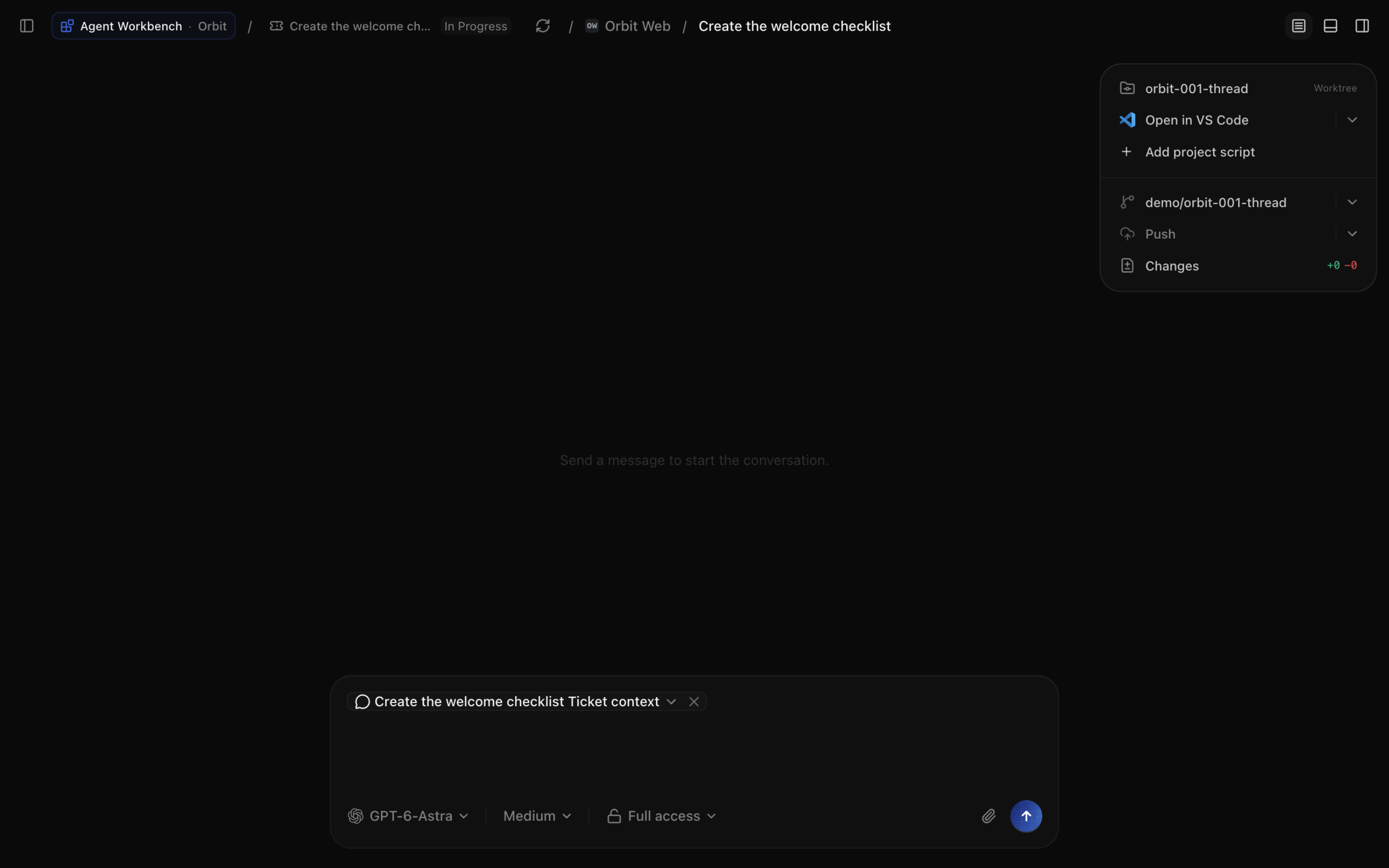
Native T3 Thread with Ticket context attached to the composer
Ticket context is attached. Send a message to start the agent.

Pull request

Review the linked pull request
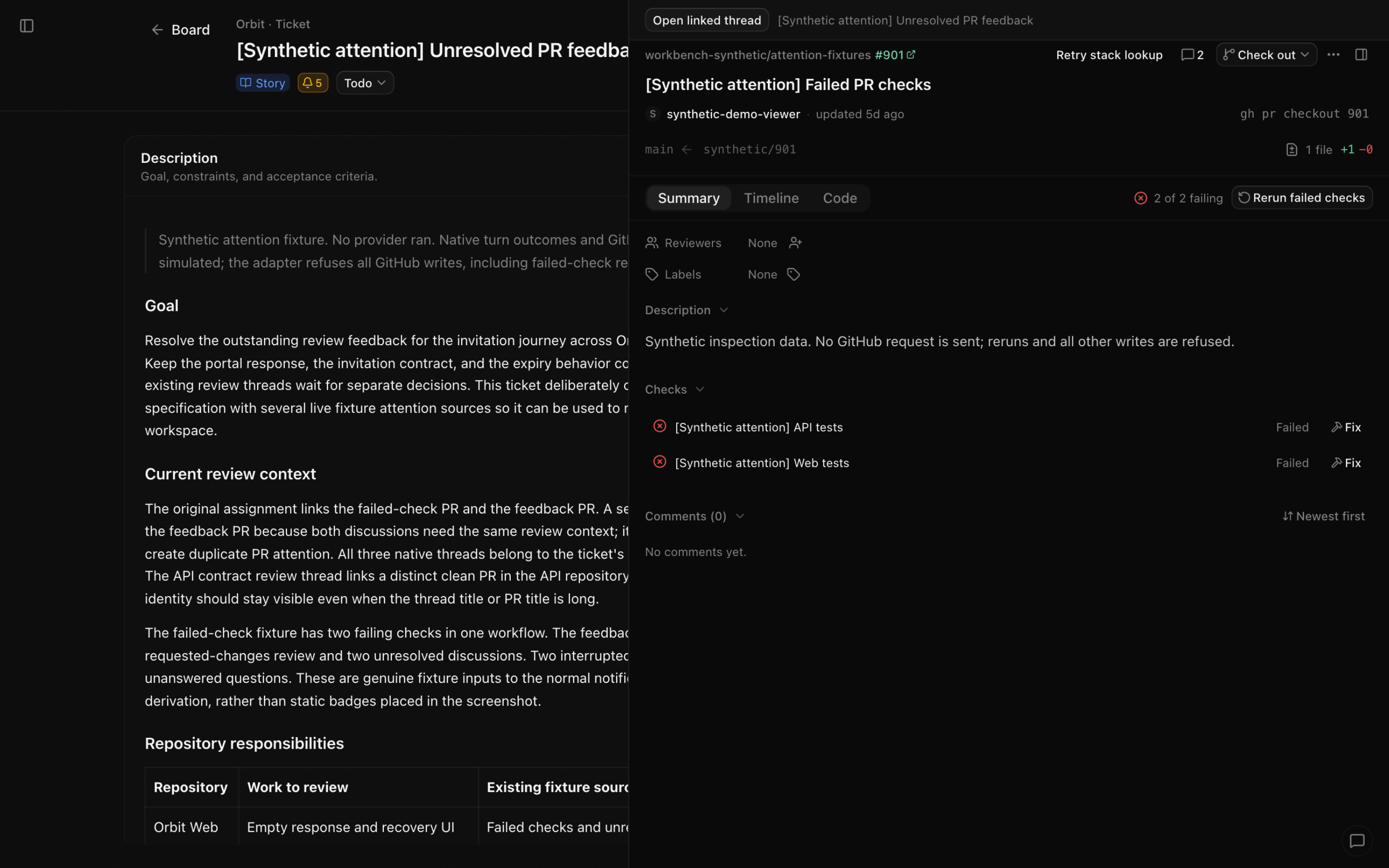
Native pull request panel over a demo Ticket showing its summary and failing checks
Linked PR checks and review feedback on a second demo Ticket.

Notifications

See what needs attention
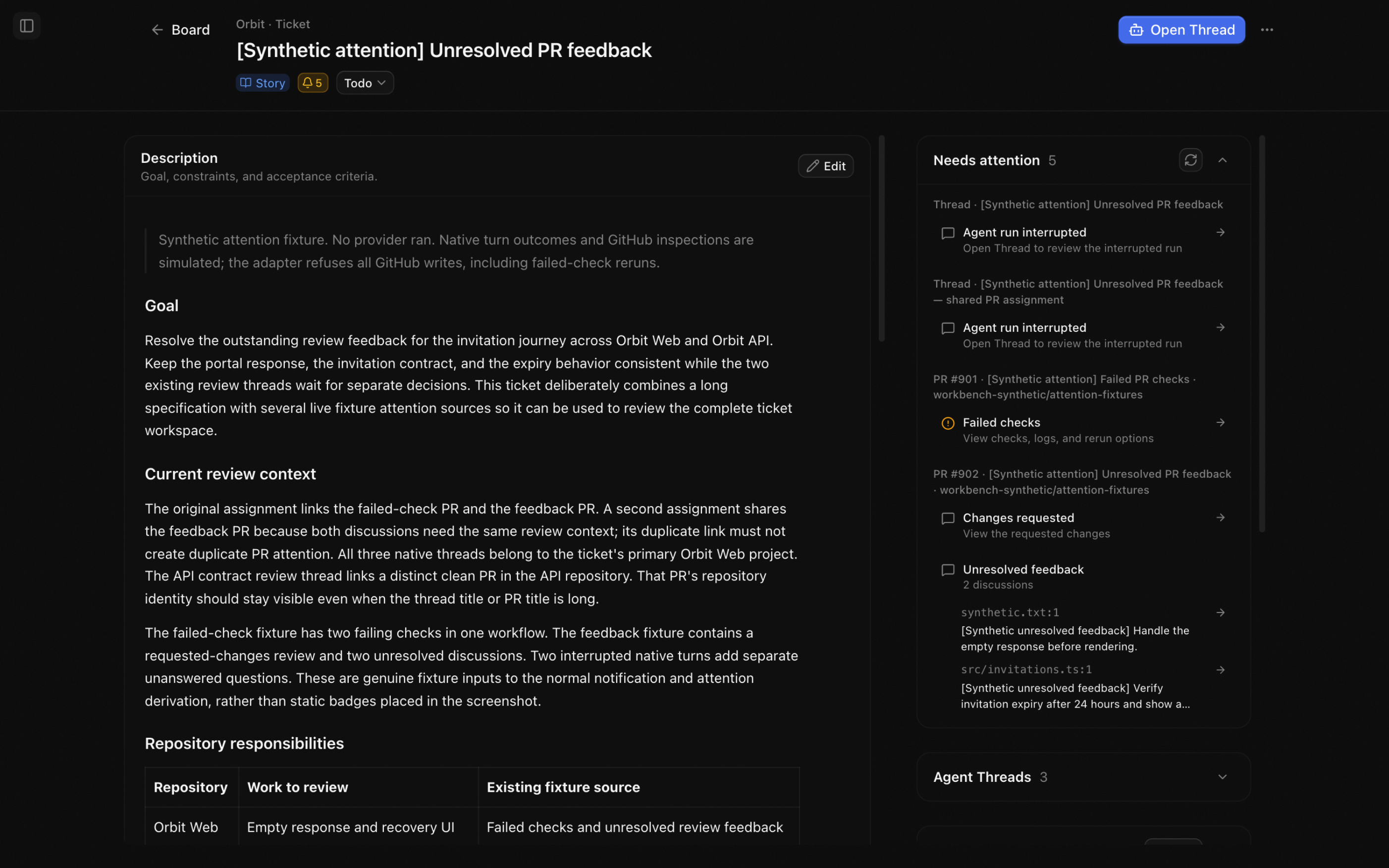
Ticket Needs attention list with five signals from Threads and linked pull requests
Threads, review feedback, and failed checks that need attention.

Jira (optional)

Bring Jira into the same workflow
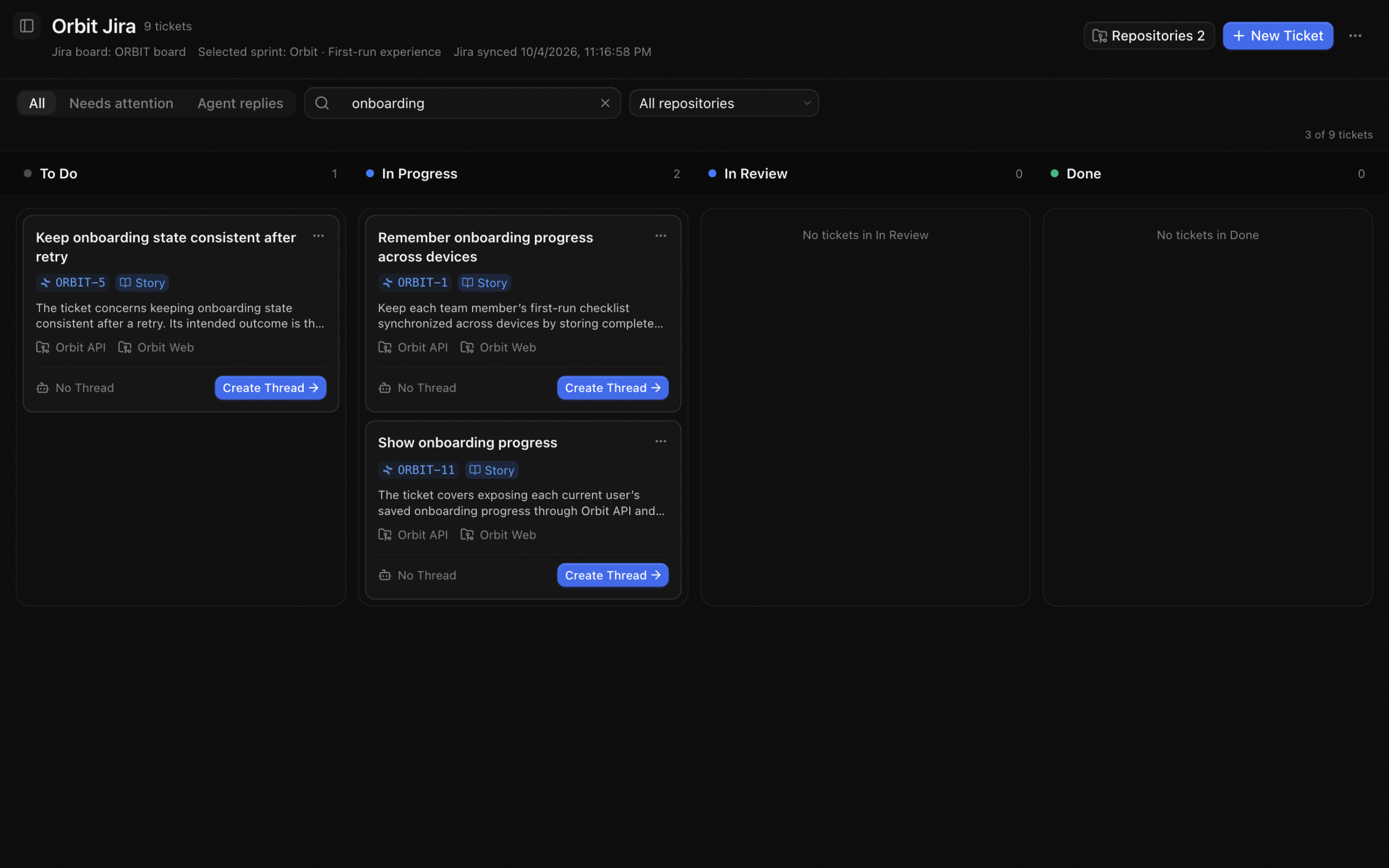
Workbench Jira board showing the selected sprint, sync timestamp, and issue statuses
Assigned sprint issues in Workbench.

One Ticket. Isolated worktrees.

Prepare a worktree per repository, then open a native Thread with the Ticket’s context.

Prepared Ticket workspace with worktrees for Orbit Web and Orbit API

Preparing worktrees or creating a Thread does not start an agent. Send a message when ready.

Workspace guide

Review linked pull requests

Check PR status and review feedback without leaving the Ticket.

Native pull request panel over a demo Ticket showing its summary and failing checks
Illustrative PR feedback in the native review panel.

Jira, optional.

Sync assigned sprint issues and update descriptions and statuses. Local Tickets need no Jira account.

Jira guide
Workbench Jira board showing the selected sprint, sync timestamp, and issue statuses

Install Workbench alongside T3 Code

Workbench stores its data separately from the official app.

macOS builds are signed and notarized. Windows and Linux builds are unsigned.